LectureNotes (Trial Version)2.10.6
Publisher Description
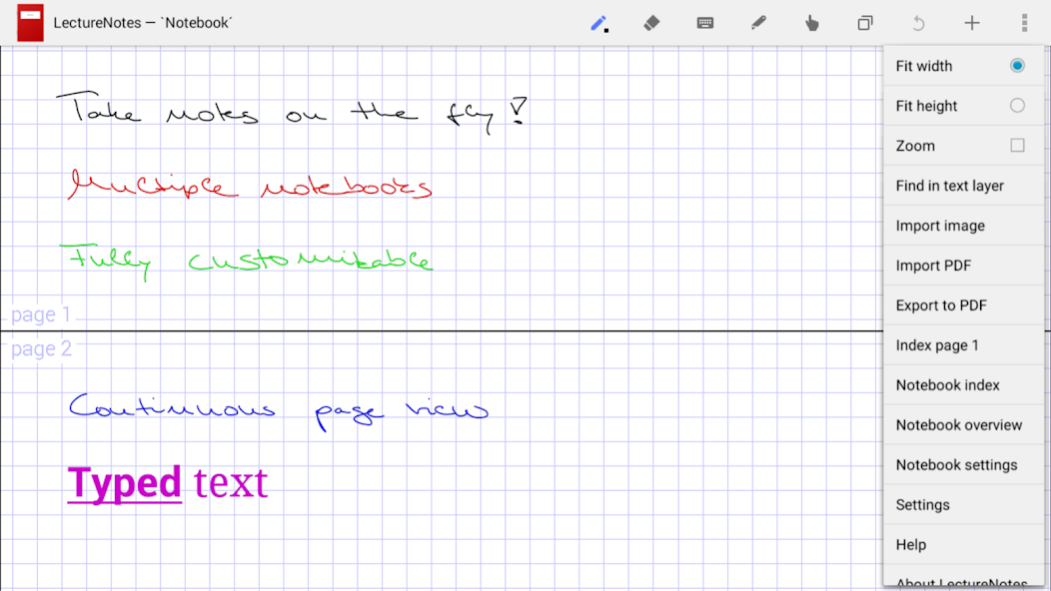
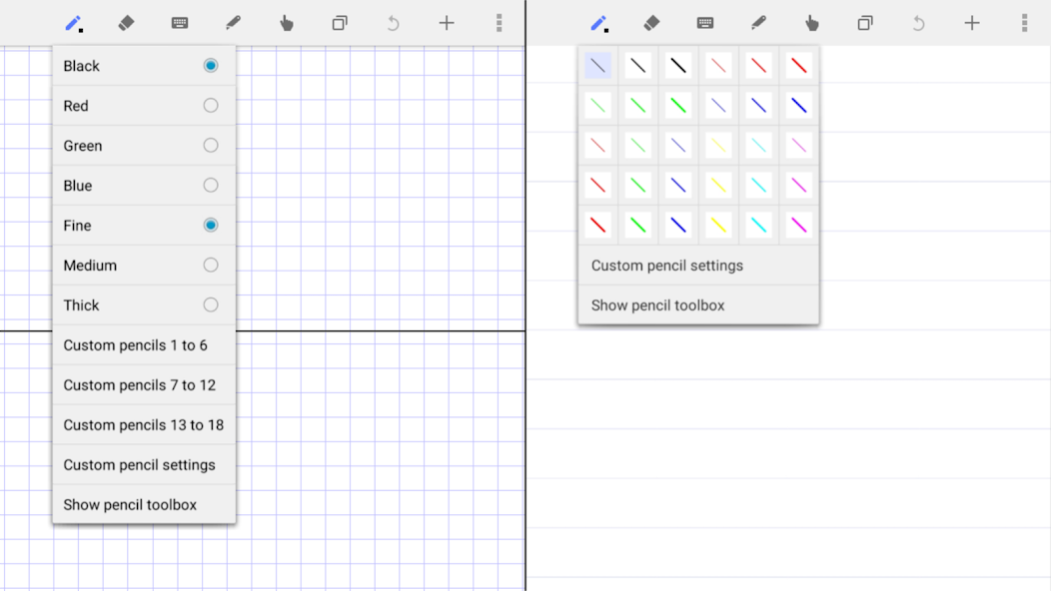
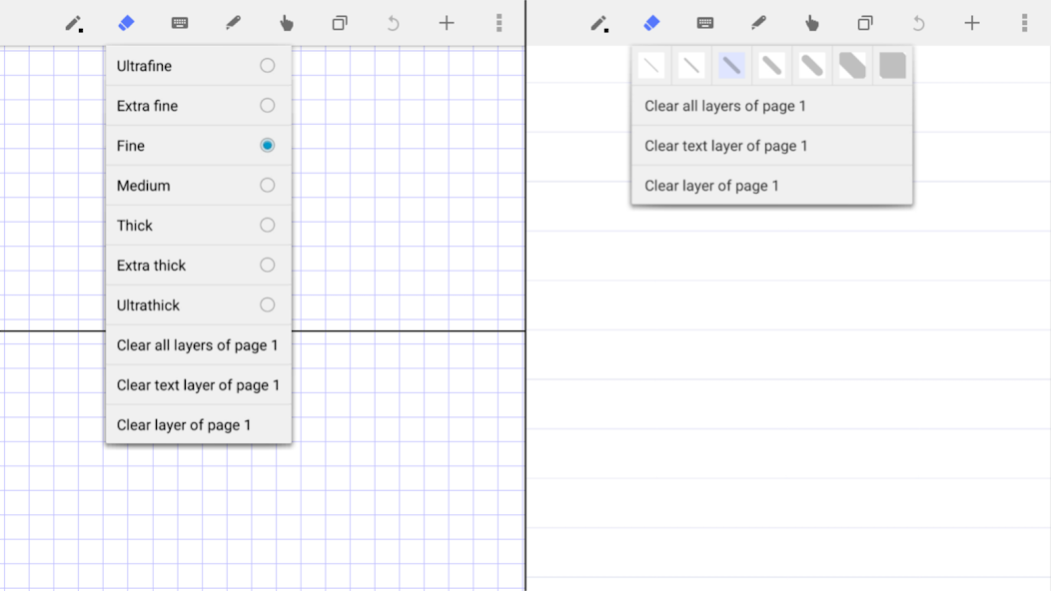
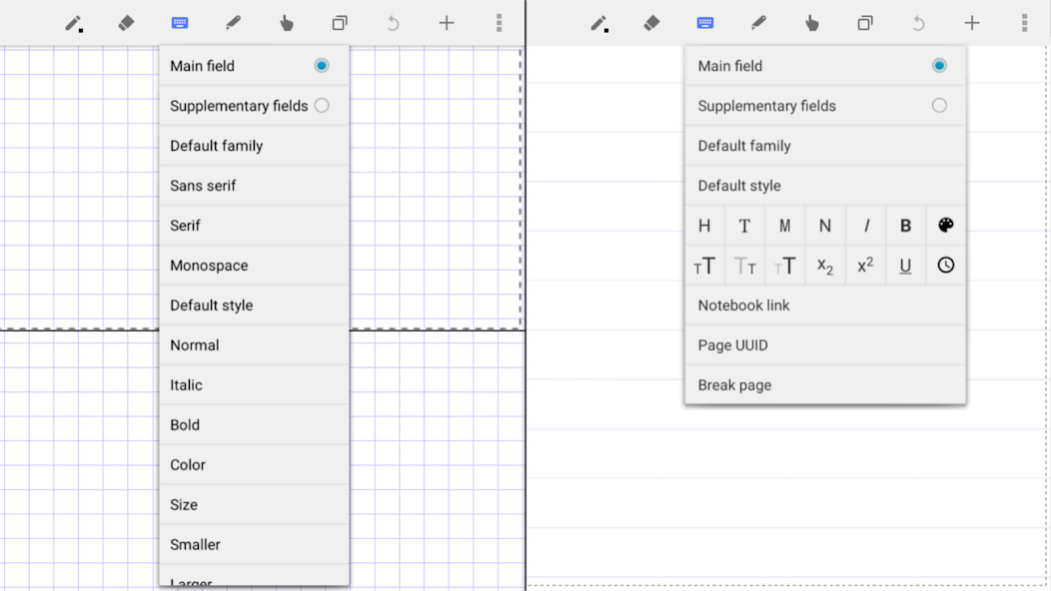
LectureNotes is an Android app for note-taking by handwriting on the screen, in particular with a stylus.
It has been designed while having a user at university (or at school) in mind, for instance a lecturer who is using it for preparing her/his lecture or even for actual teaching (by writing on the device and projecting the screen content for the audience) or a student who is using it for taking handwritten notes during a lecture. However, it has found many users outside university, for instance businesspersons who use it for business notes and sales presentations or artists who use it to create sketches and drawings.
Its major target devices are tablets with Android 3.0 or later. The basic functionality works on all devices with Android 3.0 or later, but some which are hardware-dependent such as pressure sensitivity might not.
NOTE:
This is the free trial version, in which the number of notebooks is constrained to two, with no more than eight pages per notebook.
Reviews:
* https://www.youtube.com/watch?v=K32hUvoo7mI
User feedback:
We would love to hear from you, please send feedback and feature requests to us by email. If you encounter a problem with the app, please email us and we will do our very best to fix it quickly.
Major features:
* requires only minimal permissions and no internet connection (we do respect your privacy!)
* allows multiple pages to be simultaneously visible on the screen (i.e. continuous page view)
* allows smooth writing, typing, scrolling, and zooming
Additional features:
* multiple layers in notebook pages
* image import and image set import into notebook (including image import directly from camera)
* single- and multi-page PDF import (requires PDFView to be installed)
* notebook export as compressed PDF
* notebook export to Evernote (requires Evernote app to be installed)
* notebook export to OneNote (requires OneNote app to be installed)
* audio recording and replay (requires LectureRecordings to be installed)
* video recording and replay (requires LectureVideos to be installed)
* presentations (requires LecturePresentations to be installed)
* sharing and import of notebook pages
* keyword attachment to notebook pages and automatic indexing
* insertion, deletion, and rearrangement of notebook pages
* sharing and import of notebooks
* organization of notebooks in folders
* backup and restore of notebooks board
See the help page https://www.acadoid.com/apps/ln/help/ for more details.
Possible issue:
For certain functionality, the app requires other apps to be installed: Notebook and folder import, notebooks board restore, and image set import require a file manager app to be installed; image import directly from camera requires a camera app to be installed; PDF import requires a file manager app and PDFView to be installed; export to Evernote requires the Evernote app to be installed; export to OneNote requires the OneNote app to be installed.
About LectureNotes (Trial Version)
The company that develops LectureNotes (Trial Version) is Acadoid Developer. The latest version released by its developer is 2.10.6. This app was rated by 1 users of our site and has an average rating of 3.0.
To install LectureNotes (Trial Version) on your Android device, just click the green Continue To App button above to start the installation process. The app is listed on our website since 2023-05-22 and was downloaded 1 times. We have already checked if the download link is safe, however for your own protection we recommend that you scan the downloaded app with your antivirus. Your antivirus may detect the LectureNotes (Trial Version) as malware as malware if the download link to com.acadoid.lecturenotestrial is broken.
How to install LectureNotes (Trial Version) on your Android device:
- Click on the Continue To App button on our website. This will redirect you to Google Play.
- Once the LectureNotes (Trial Version) is shown in the Google Play listing of your Android device, you can start its download and installation. Tap on the Install button located below the search bar and to the right of the app icon.
- A pop-up window with the permissions required by LectureNotes (Trial Version) will be shown. Click on Accept to continue the process.
- LectureNotes (Trial Version) will be downloaded onto your device, displaying a progress. Once the download completes, the installation will start and you'll get a notification after the installation is finished.
Program Details
System requirements
Download information
Pricing
Version History
version 2.10.6
posted on 2023-05-22
* several minor improvements
* input motion prediction for low latency
* optional color inversion of imported images and of imported PDF pages added
* distortion of cut, copied, and imported material added
* grid cut, copy, and paste added
* notebooks and folders made accessible via link
* quick index and quick overview added
* settings made searchable
version 2.9.11
posted on 2022-03-12
* several minor improvements
* optional color inversion of imported images and of imported PDF pages added
* distortion of cut, copied, and imported material added
* grid cut, copy, and paste added
* notebooks and folders made accessible via link
* quick index and quick overview added
* optional input prediction added
* settings made searchable
version 2.9.8
posted on 2021-10-20
* several minor improvements
* optional color inversion of imported images and of imported PDF pages added
* quick index added
* distortion of cut, copied, and imported material added
* grid cut, copy, and paste added
* optional icons instead of text for some menu items
* pencil toolbox improved
* input zone improved
* notebooks and folders made accessible via link
* more time stamp variants added
* quick overview added
* optional input prediction added
* settings made searchable
version 2.9.7
posted on 2021-07-10
* several minor improvements
* quick index added
* distortion of cut, copied, and imported material added
* grid cut, copy, and paste added
* optional icons instead of text for some menu items
* pencil toolbox improved
* input zone improved
* notebooks and folders made accessible via link
* more time stamp variants added
* quick overview added
* optional input prediction added
* settings made searchable
version 2.9.4
posted on 2020-12-12
* several minor improvements
* distortion of cut, copied, and imported material added
* grid cut, copy, and paste added
* optional icons instead of text for some menu items
* pencil toolbox improved
* input zone improved
* notebooks and folders made accessible via link
* more time stamp variants for notebook and folder name, for the text layer, for the text drawing tool, and as keyword added
* quick overview added
* optional input prediction added
* settings made searchable
version 2.9.2
posted on 2020-10-10
* several minor improvements
* optional icons instead of text for some menu items
* pencil toolbox improved
* input zone improved
* notebooks and folders made accessible via link
* more time stamp variants for notebook and folder name, for the text layer, for the text drawing tool, and as keyword added
* quick overview added
* optional input prediction added
* settings made searchable
* writing direction button added to input zone
* general purpose export added
* image import improved
version 2.9.1
posted on 2020-09-19
* several minor improvements
* pencil toolbox improved
* input zone improved
* notebooks and folders made accessible via link
* more time stamp variants for notebook and folder name, for the text layer, for the text drawing tool, and as keyword added
* quick overview added
* optional input prediction added
* settings made searchable
* writing direction button added to input zone
* general purpose export added
* image import improved
* undo/redo buttons added to input zone
* safe zone improved
version 2.8.16
posted on 2020-05-16
* several minor improvements
* notebooks and folders made accessible via link
* more time stamp variants for notebook and folder name, for the text layer, for the text drawing tool, and as keyword added
* quick overview added
* optional input prediction added
* settings made searchable
* writing direction button added to input zone
* general purpose export added
* image import improved
* undo/redo buttons added to input zone
* safe zone improved
* export to Evernote and to OneNote improved
version 2.8.12
posted on 2019-09-28
* several minor improvements
* quick overview added
* optional input prediction added
* searchable settings
* writing direction button added to input zone
* general purpose export added
* image import improved
* undo/redo buttons added to input zone
* safe zone improved
* more time stamp variants for notebook and folder name, for the text layer, for the text drawing tool, and as keyword added
* export to Evernote and to OneNote improved
* notebooks board search improved
version 2.8
posted on 2018-03-25
* optional input prediction added
* searchable settings
* several minor improvements
* writing direction button added to input zone
* general purpose export added
* image import improved
* undo/redo buttons added to input zone
* safe zone improved
* more time stamp variants for notebook and folder name, for the text layer, for the text drawing tool, and as keyword added
* export to Evernote and to OneNote improved
* notebooks board search improved
* supplementary fields added to text layer
